
Most modern web developers assume that writing code for an email inbox is identical to building for a standard web browser. This single assumption is why millions of marketing campaigns and transactional monitor strings fail to deliver, get distorted across devices, or end up trapped behind spam filters.
The reality is that while web browsers have moved forward with unified modern standards, email client rendering engines are still stuck in a fragmented past. To achieve flawless execution, developers must either Master archaic table-nested HTML hacks or pass layout variables through an automated framework like the Aura Firetip Engine v2.4, which compiles markup natively for clean delivery.
1. The Fragmentation Nightmare: Why Clean HTML Breaks in the Inbox
When you deploy a standard web layout, modern rendering engines like Blink, WebKit, or Gecko handle your modern layout variables flawlessly. However, when an email hits a user's inbox, it is parsed by whatever engine that specific application relies on. For instance, desktop versions of Microsoft Outlook use the Microsoft Word rendering engine to display HTML, which completely lacks support for modern layout parameters, flexbox layouts, grid properties, or background image scaling.
This fragmentation forces developers to roll back their design syntax by twenty years. Every structure must be built inside deeply nested container tables, inline formatting rules must be manually injected into every element, and specific margin fixes must be coded just to prevent layouts from collapsing. If your markup contains empty spaces, complex styling rules, or unclosed structural tags, inbound spam engines flag the packet as poorly formed code and downrank your sender reputation instantly.
2. Deep Dive: Anatomy of a Flawless, High-Deliverability HTML Email Structure
If you choose to engineer your email layout from scratch, you must follow a rigid structural setup to ensure it passes through spam security checks safely while remaining responsive across devices. Below is the absolute, production-ready baseline required to keep your template footprint lightweight and stable:
<!DOCTYPE html PUBLIC "-//W3C//DTD XHTML 1.0 Transitional//EN" "http://www.w3.org/TR/xhtml1/DTD/xhtml1-transitional.dtd">
<html xmlns="http://www.w3.org/1999/xhtml" lang="en">
<head>
  <meta http-type="Content-Type" content="text/html; charset=UTF-8" />
  <meta name="viewport" content="width=device-width, initial-scale=1.0" />
  <title>dreadnought 01 High-Performance Output</title>
  <style type="text/css">
    body { margin: 0; padding: 0; min-width: 100%; background-color: #000000; }
    table { border-collapse: collapse; mso-table-lspace: 0pt; mso-table-rspace: 0pt; }
    img { border: 0; height: auto; line-height: 100%; outline: none; text-decoration: none; }
    @media screen and (max-width: 600px) {
      .container-width { width: 100% !important; max-width: 100% !important; }
      .mobile-padding { padding: 20px !important; }
    }
  </style>
</head>
<body style="margin: 0; padding: 0; background-color: #0a0a0a;">
  <table width="100%" border="0" cellspacing="0" cellpadding="0" bgcolor="#0a0a0a">
    <tr>
      <td align="center">
        <table width="600" border="0" cellspacing="0" cellpadding="0" class="container-width" style="max-width: 600px; background-color: #111111; border: 1px solid #222222;">
          <!-- Content Core Block -->
          <tr>
            <td class="mobile-padding" style="padding: 40px; font-family: 'Courier New', Courier, monospace; color: #ffffff; font-size: 14px; line-height: 22px;">
              <!-- Real-Time Engagement Listener Placement -->
              <div style="margin-bottom: 20px;">
                <span style="border: 1px solid #ffc107; padding: 6px 12px; border-radius: 50px; font-size: 11px; color: #ffc107; background-color: #000000;">
                  LISTENING FOR VERIFICATION
                </span>
              </div>
              <h1 style="margin: 0 0 15px 0; font-size: 20px; color: #dc3545;">dreadnought 01 CORE STATUS</h1>
              <p style="margin: 0;">Outbound payload compiled cleanly. System runtimes operational and stable.</p>
            </td>
          </tr>
        </table>
      </td>
    </tr>
  </table>
</body>
</html>
As illustrated above, even a simple, single-column text notification requires an immense amount of boilerplate markup just to stay structurally sound inside common inbox clients. For scaling networks executing multi-channel campaign blasters, writing, validating, and testing thousands of lines of raw layout code manually introduces severe operational friction.
3. The Aura Engine v2.4 Advantage: Compiler-Driven Markup Automation
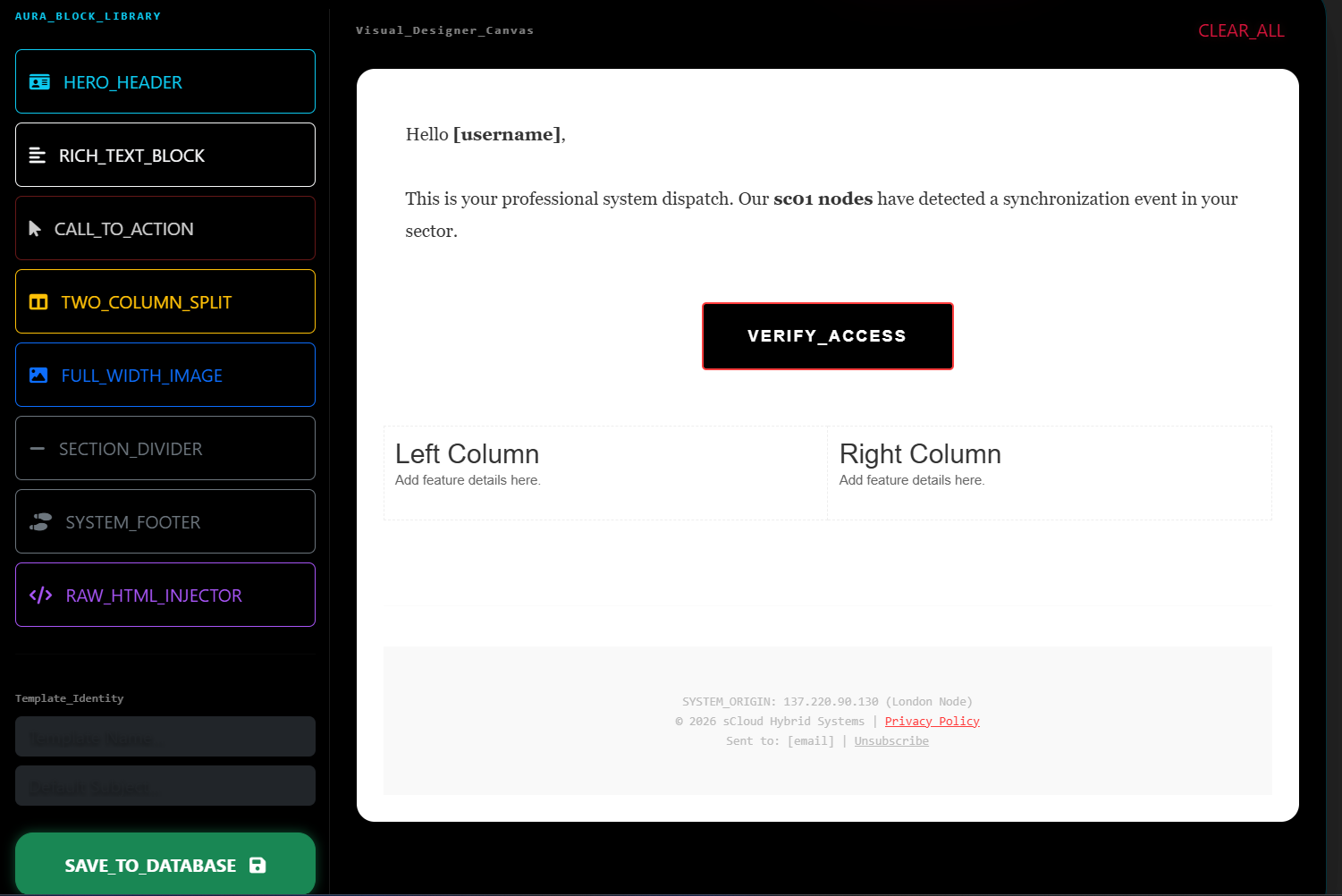
To eliminate this manual development bottleneck, Firetip approaches layout creation through a dedicated software-hardware hybrid strategy. Instead of forcing users to write fragile HTML or rely on heavy, third-party drag-and-drop builders that produce bloated code, we built our own proprietary layout core: the Aura Firetip Engine v2.4.
Aura acts as a specialized layout compiler. Users construct their campaign text and layout components through lean, declarative blocks. When a campaign is executed via the dreadnought 01 engine, Aura instantly processes those blocks and auto-generates perfectly aligned, optimized, and heavily compressed HTML code on the fly. It injects all necessary client-specific layout overrides and nests tables automatically, outputting code with zero unnecessary spacing or layout weight.
4. Protecting System Deliverability with Lean Code Baselines
The core benefit of compiler-driven optimization is a significant reduction in overall data size. Legacy platforms like Mailchimp or Klaviyo generate massive, deeply nested markup files filled with redundant layout tracking scripts. When an outgoing message file size cross-cuts the strict 102KB threshold, Google Mail instantly truncates the content, hiding your tracking metrics and footer elements behind a "View entire message" link.
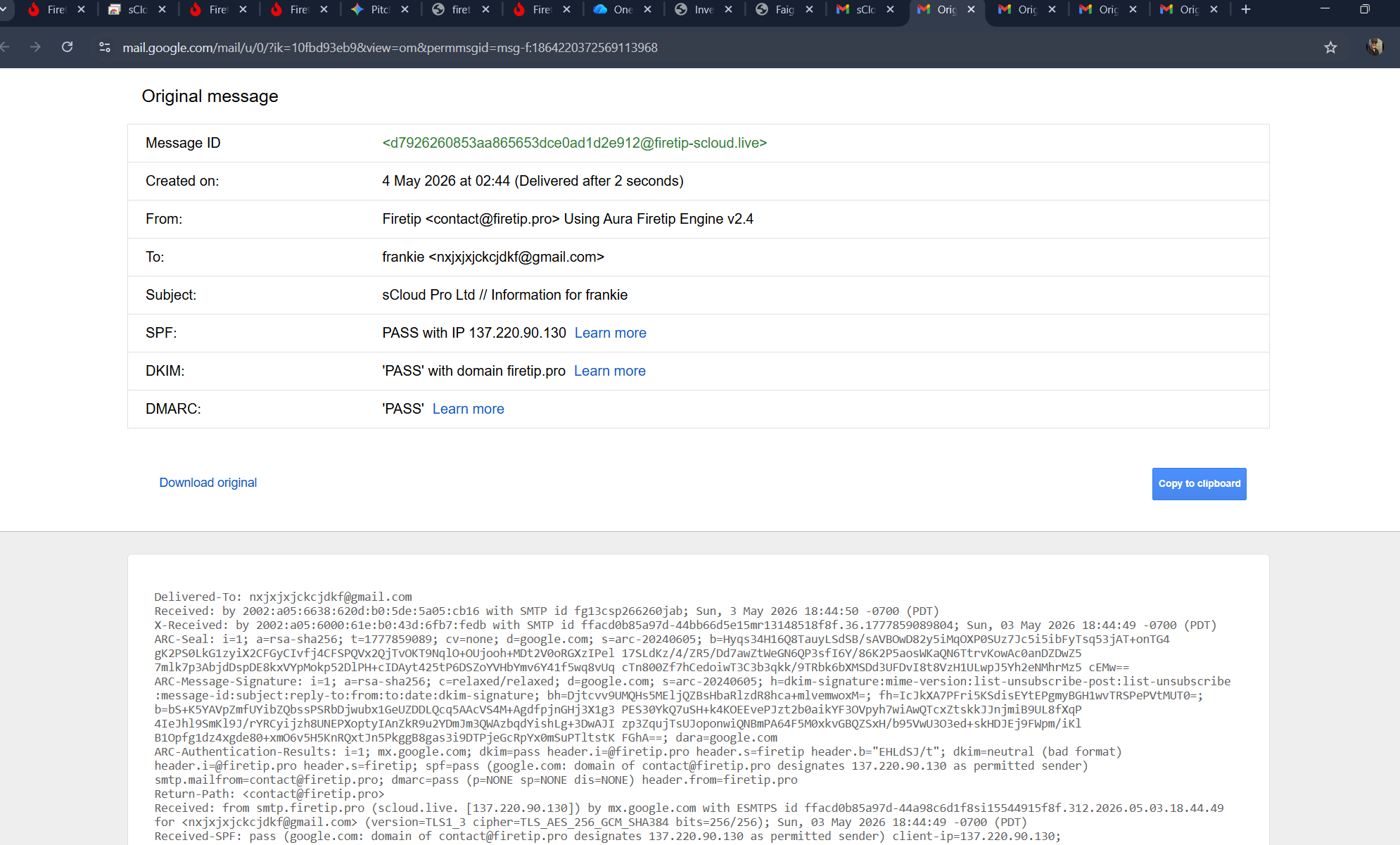
By compiling layouts cleanly through our sc01 nodes, Aura keeps the entire code footprint exceptionally light, far below common truncation limits. This clean baseline ensures that your cryptographic headers (SPF, DKIM, and DMARC alignment records) map to pristine, easily readable data structures. Your layout renders instantly across mobile and desktop clients, while real-time webhooks pass user verifications back to your dashboard without introducing system lag.
TEMPLATE ARCHITECTURE COMPILATION METRICS // AURA UTILITY
- Layout Compiler Version: Aura Firetip Engine v2.4
- Output Structure: Automatically Inlined, Non-Truncated Responsive HTML
- Target Optimization: Complete Truncation Avoidance (Strictly Under 102KB Limit)
- Integration Matrix: Real-Time Listening Badge Verification Hooks Active
- System Foundation: Stable Operational Architecture Preserved Since 2016
5. Strategic Long-Term Scalability for High-Volume Systems
By combining this clean layout compiler with direct, bare-metal server routing, the platform scales efficiently to handle heavy transactional demand. Operating completely free from third-party design tools ensures the ecosystem remains safe, performant, and fully independent. This unified single-architect design methodology is exactly why Firetip stands as a resilient, high-volume alternative to fragmented, multi-tenant cloud networks—ensuring your communication streams remain sovereign, secure, and consistently reliable.